Live Satellite View, 3D Map3.7
Publisher Description



Your real-time window to the world. Explore anywhere, anytime.
Have you ever wanted to see the streets of Tokyo during rush hour? Or catch a live glimpse of a Parisian corner café? With Live Satellite View, 3D Map, the entire world is just a tap away!
🔎 FEATURE HIGHLIGHTS
📷 Watch Live CCTV Cameras from Around the World
Gain access to thousands of public street cameras from major cities like New York, London, Seoul, Dubai – and even small hidden gems across the globe. All streams are live and crystal clear, giving you real-time insight into traffic, weather, or simply letting you people-watch from the other side of the planet.
🌀 360° Cameras – See It All
Go beyond regular views! With integrated 360-degree cameras, you can rotate, zoom, and immerse yourself in stunning real-world locations, just like being there.
🗺️ 3D Earth Map & Classic 2D Map
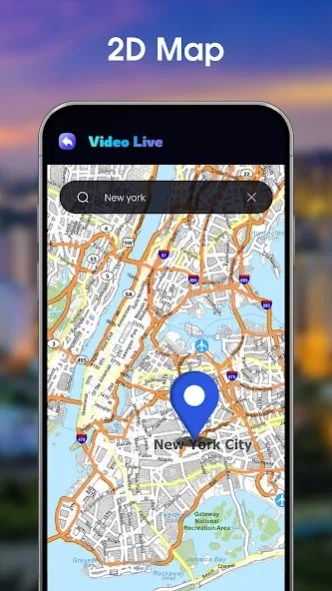
Love maps? You’ll be amazed by our interactive 3D Earth view, showing terrains, oceans, and landscapes in vivid detail. Prefer a classic view? Switch to 2D mode for traditional map navigation and exploration.
🌬️ Track Air Quality Worldwide
Care about health and the environment? Keep an eye on the Air Quality Index (AQI) in thousands of cities globally. Whether you're planning a trip or just curious about your local conditions, we've got the data you need.
🕰️ World Clock – Time in Every City
No more searching for time zones! With the built-in World Clock, you can check the current time in any city around the world – perfect for global meetings, travel planning, or staying connected with loved ones abroad.
🌐 Discover the World in Your Own Way
Whether you're a travel enthusiast, geography lover, or simply curious about what’s happening across the globe, Live Satellite View, 3D Map is your must-have global explorer app.
About Live Satellite View, 3D Map
The company that develops Live Satellite View, 3D Map is Banix Studio. The latest version released by its developer is 3.7.
To install Live Satellite View, 3D Map on your Android device, just click the green Continue To App button above to start the installation process. The app is listed on our website since 2026-09-03 and was downloaded 24 times. We have already checked if the download link is safe, however for your own protection we recommend that you scan the downloaded app with your antivirus. Your antivirus may detect the Live Satellite View, 3D Map as malware as malware if the download link to com.banix.earthmap.satelliteview is broken.
How to install Live Satellite View, 3D Map on your Android device:
- Click on the Continue To App button on our website. This will redirect you to Google Play.
- Once the Live Satellite View, 3D Map is shown in the Google Play listing of your Android device, you can start its download and installation. Tap on the Install button located below the search bar and to the right of the app icon.
- A pop-up window with the permissions required by Live Satellite View, 3D Map will be shown. Click on Accept to continue the process.
- Live Satellite View, 3D Map will be downloaded onto your device, displaying a progress. Once the download completes, the installation will start and you'll get a notification after the installation is finished.
Program Details
System requirements
Download information
Pricing
Version History
version 3.7
posted on 2026-09-03
- Fix some bugs
version
posted on 2025-12-16
version 2.6
posted on 2025-12-02
- Add Weather in current location
- Fix some bugs
version 2.4
posted on 2025-11-17
- Add Weather in current location
version 2.3
posted on 2025-11-06
- Update 16KB
- Fix some issues
version 2.1
posted on 2025-10-20
- More camera live updated
- Fix some issues
version 1.9
posted on 2025-09-12
- Fix some issues
